Weikav NUT75 Review: A Hot-Swappable Tri-Mode Keyboard That Undercuts the Enthusiast Brands
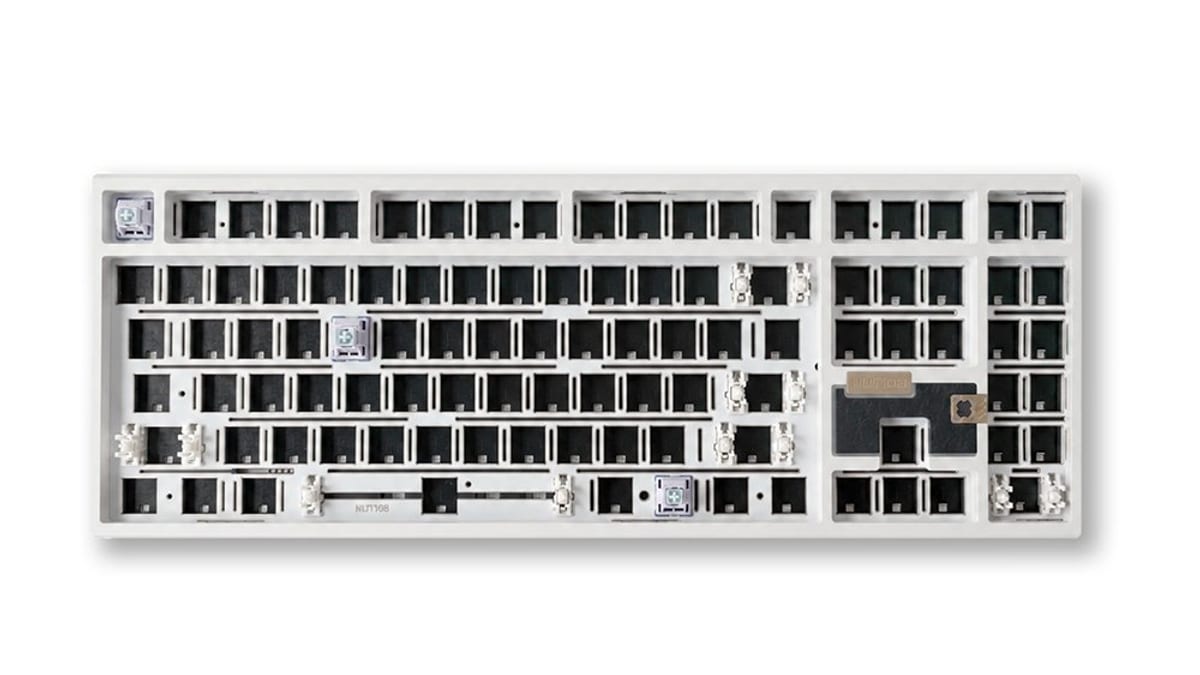
The custom keyboard hobby has a well-known cliff. Below roughly $60 you get boards with switches soldered permanently to the board. Above roughly $200 you get group buys, eight-month waits and a spreadsheet. Weikav has planted its entire catalogue in the gap between those two, and the NUT series is the reason to pay attention.
The line is straightforward: NUT65 for a compact 65% layout, NUT75 for the 75% with a function row, and NUT108 for people who refuse to give up the number pad. All three share the features that actually matter to anyone who intends to keep a keyboard for more than a year — hot-swappable sockets, QMK and VIA programmability, and tri-mode connectivity covering wired, Bluetooth and 2.4GHz wireless.
Why hot-swap and VIA are the whole argument
Hot-swap sockets mean you can pull a switch out with a $2 tool and push a different one in. No soldering iron, no risk of cooking a PCB trace. In practice this changes what the purchase is: instead of committing to a typing feel forever, you are buying a chassis and renting the feel. If you decide linear switches were a mistake, that is a $25 fix rather than a new keyboard.
QMK/VIA support is the same argument applied to layout. Remapping happens in a browser window and lives in the keyboard's own memory, which means your layout travels with the board to any machine, including work laptops where you cannot install driver software. Plenty of mainstream keyboards at this price still require a resident Windows-only utility to do the same job.
The range, and the catch
Weikav's store spans roughly $15 to $149, but that bottom number is misleading — it covers keycap sets, switches and accessories rather than complete boards. Read the price band as: components are cheap, and the assembled keyboards sit at the upper half of that range. The upside is that the accessories are sold by the same shop, so a board plus a switch set plus keycaps is one order and one shipping charge.
The catch is documentation. Weikav publishes guides and news on its own site, but the community knowledge base that surrounds bigger brands — the forum thread that tells you which foam mod fixes the ping in your specific model — simply does not exist yet at this scale. If you are the sort of buyer who solves problems by searching, expect to do more of the work yourself.
Who this is actually for
It is a good fit if you have used a mechanical keyboard before, know roughly what switch feel you want, and resent paying enthusiast-brand prices for features that cost the manufacturer very little. It is a poor fit if this is your first mechanical keyboard and you want something that works perfectly out of the box with no research — the flexibility that makes these boards good value is the same flexibility that requires you to make choices.
The verdict
8 / 10. The feature set at this price is genuinely hard to argue with, and tri-mode plus VIA is a combination that plenty of larger brands still charge a premium for. Marked down for thin community documentation and a store layout that makes the entry price look lower than a complete board really costs.
See the current range and pricing at Weikav — we may earn a commission if you buy through this link, at no extra cost to you.